Recipe Saver
Save recipes from TikTok, recipe websites, screenshots and handwritten cards. Keep them in one library you can share with your family.
Design preview. The final app may look different.

How it works
- Add a recipe. Share a TikTok or web page to Recipe Saver, paste a link, take a photo of a card or pick a screenshot.
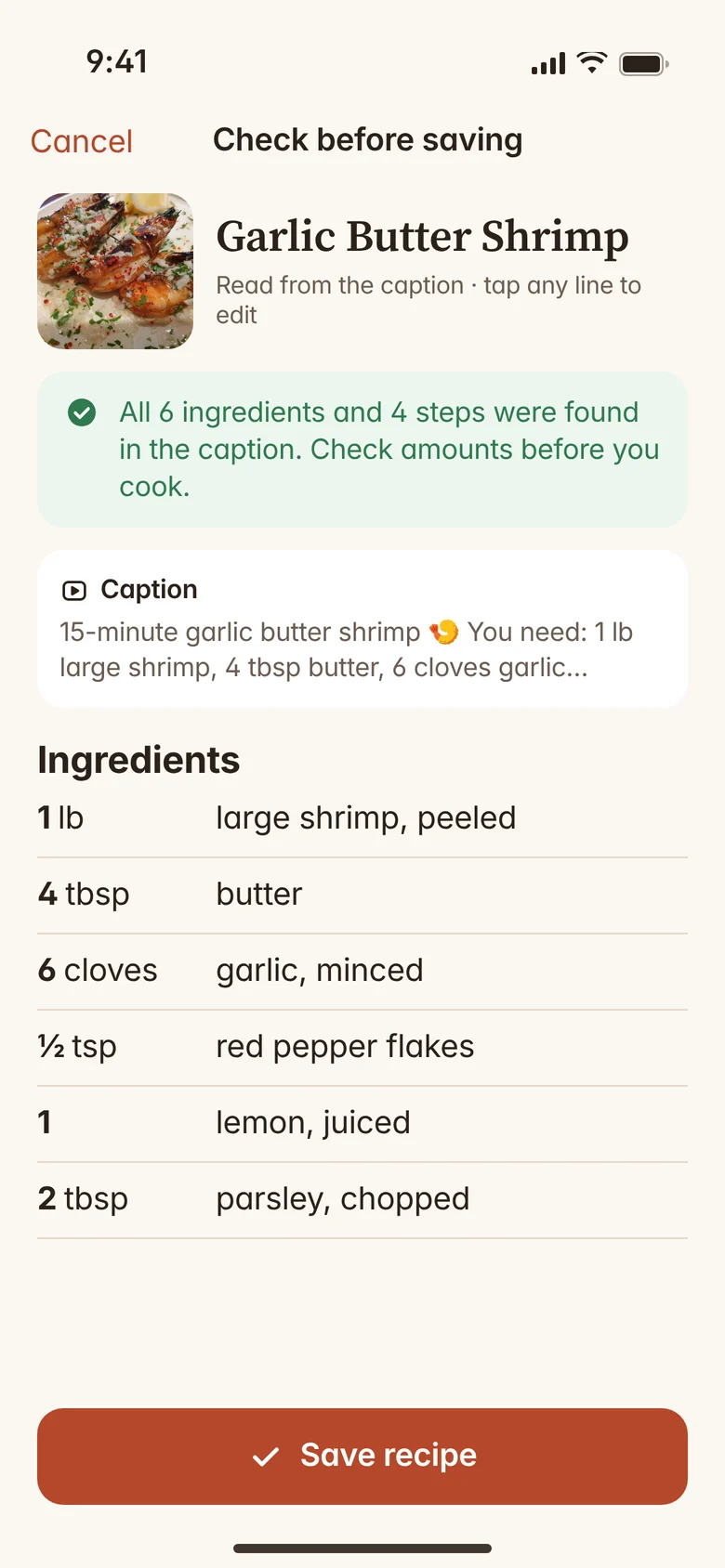
- Check it. You get the ingredients and steps as an editable recipe. Values it isn't sure about are marked with a “?”. Check the recipe against the original before you cook.
- Cook. Open cook mode, scale servings and add ingredients to your grocery list.
Save from TikTok, websites and screenshots
Share a TikTok and Recipe Saver reads the recipe from the video's caption, if the caption includes it. Paste a link from a recipe website and it pulls out the ingredients and steps. Some sites don't allow this. For Instagram, take a screenshot of the caption and import that.
You can also type or paste a recipe yourself, or import recipes exported from Paprika or Mela.
Scan handwritten family cards
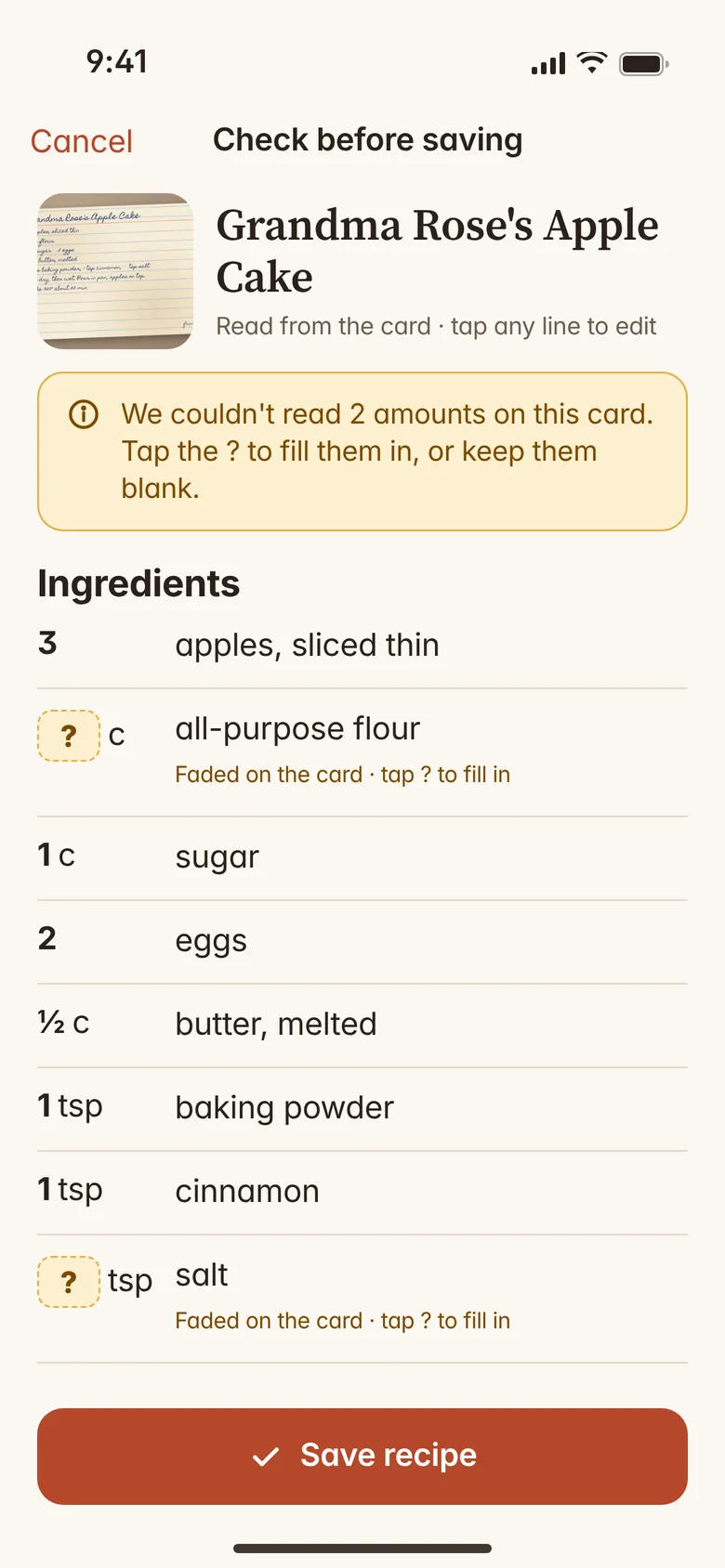
Take a photo of a printed or handwritten recipe card and it becomes an editable recipe. Amounts it isn't sure about are marked with a “?” so you can check them against the card. It can still misread things, so compare the recipe with the card before you cook.
Share a family library
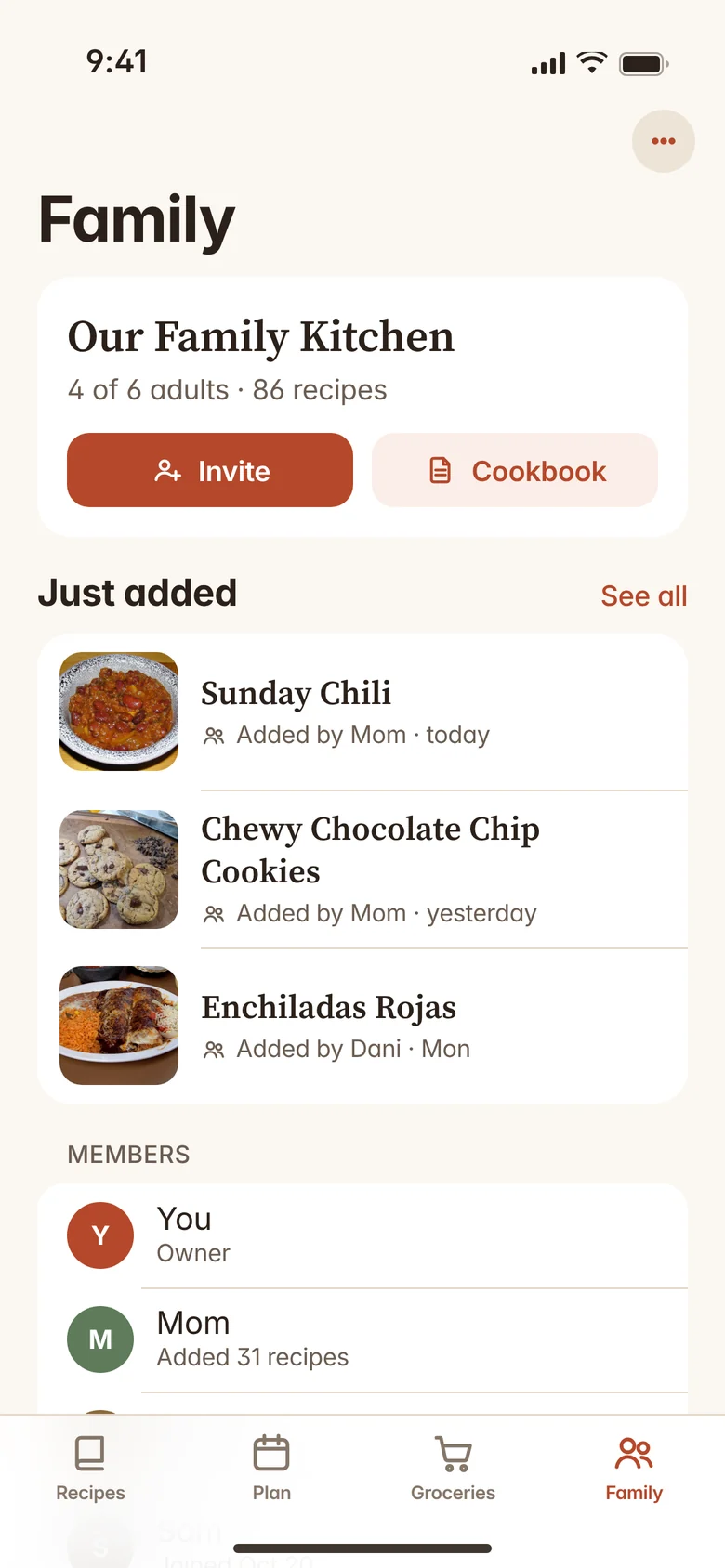
Invite family members (18 and older) to one shared library. Everyone can see and add recipes, so the family favorites live in one place. Joining a library is free; creating one is part of Pro.
Cook mode, grocery lists and meal plans
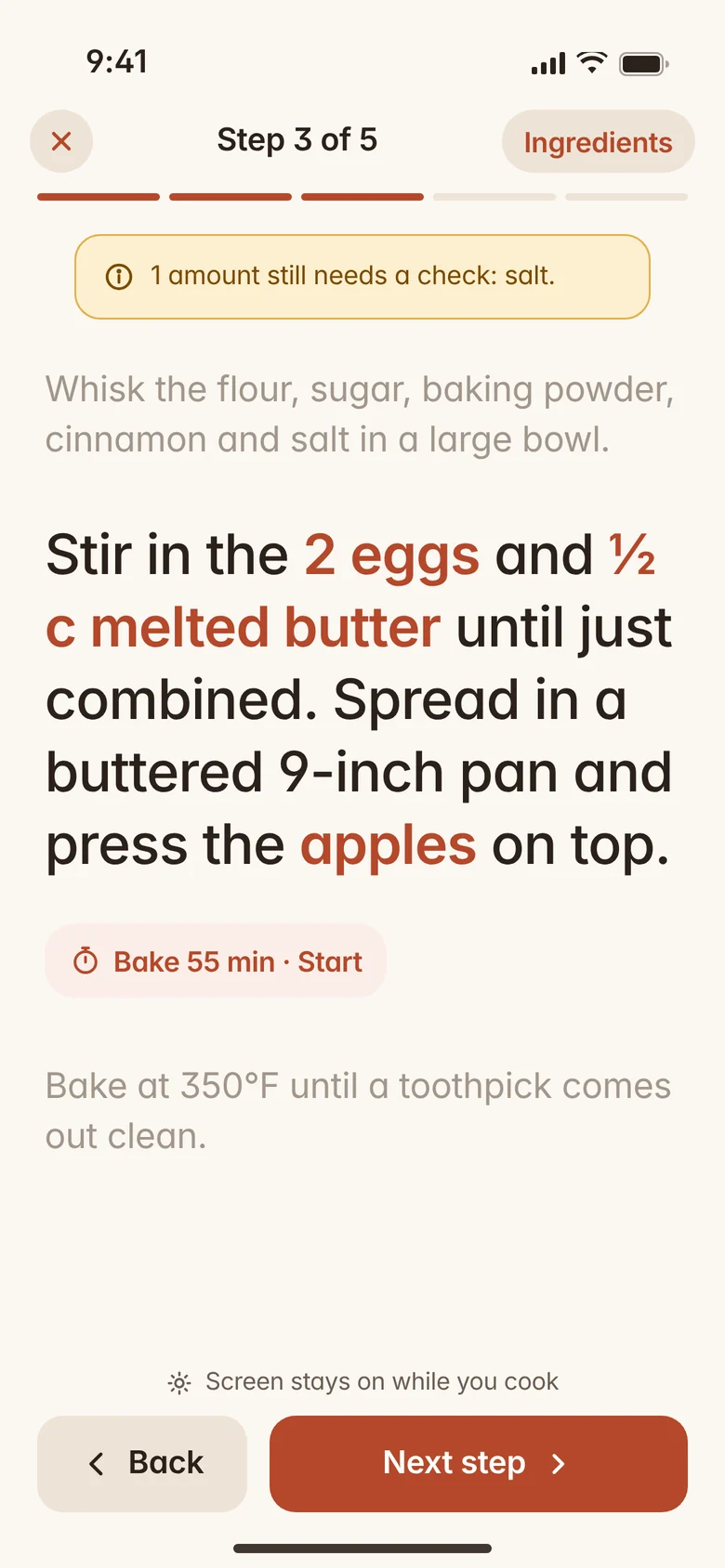
Cook mode shows one step at a time in large text. Scale servings, convert units, and add ingredients to a grocery list. With Pro, plan your week and combine recipes into one list sorted by aisle.
Pricing
Saving recipes is free. Pro adds family and planning features. Cancel anytime in iOS Settings.
Free
- Unlimited saved recipes
- All import types: links, TikTok, screenshots (incl. Instagram), typing or pasting, Paprika or Mela exports
- 5 handwritten-card scans a month
- Cook mode, scaling and unit conversion
- iPhone and iPad
- One grocery list
- Join a family cookbook when invited
Pro For families
or $29.99 / year (about $2.50 a month)
- Everything in Free
- More handwritten-card scans (fair use)
- Create a family cookbook and invite up to 6 adults
- Weekly meal plan
- Combine recipes into one grocery list, sorted by aisle
- Step timers in cook mode
- Printable family cookbook PDF
Prices in US dollars. Pro is billed through your Apple Account and renews automatically until you cancel. Features and prices may change.
What it can't do
- Instagram links. Instagram doesn't let apps read posts without logging in, so we don't try. Take a screenshot of the post's caption instead and import that.
- Recipes that are only spoken in a video. We read the caption, not the audio. If the recipe isn't written in the caption, there's nothing for us to read.
- YouTube Shorts. Only the title is available to us, so a screenshot of the description works better.
- Read every recipe correctly. Imports, especially faded or messy cards, can contain mistakes. Values it isn't sure about are marked with “?”, but values without one can be wrong too. Check recipes against the original before you cook.
- Allergy or nutrition advice. Recipe Saver can't tell you whether a recipe is safe for an allergy or diet. Check the ingredients and product labels yourself.
- Android. Recipe Saver is for iPhone and iPad only.
- Outside the US. Available in the United States only.
Feedback
Found a problem or have an idea? Use Report a problem or Send feedback in the app, or email support@trewlo.com.